
Gemini to Claude Transfer Made Simple
A desktop app that migrates your Gemini conversations to Claude entirely on your own device. Nothing passes through our servers — your data goes directly from Google to Anthropic, preserving full context, formatting, and history.
macOS & Windows · 100% local processing
Transfer in Progress
Syncing 142 chat threads
Why Migrate to Claude?
Experience the next generation of reasoning and long-context capabilities by moving your existing workflows.
Long-Context Mastery
Claude 3's 200k+ token window allows you to maintain entire codebases or research projects in a single thread.
Advanced Reasoning
Industry-leading performance in nuance, reasoning, and following complex multi-step instructions.
Lower Hallucination
Claude is designed with constitutional AI principles to provide more factual, safer, and reliable responses.
Three Simple Steps to Success
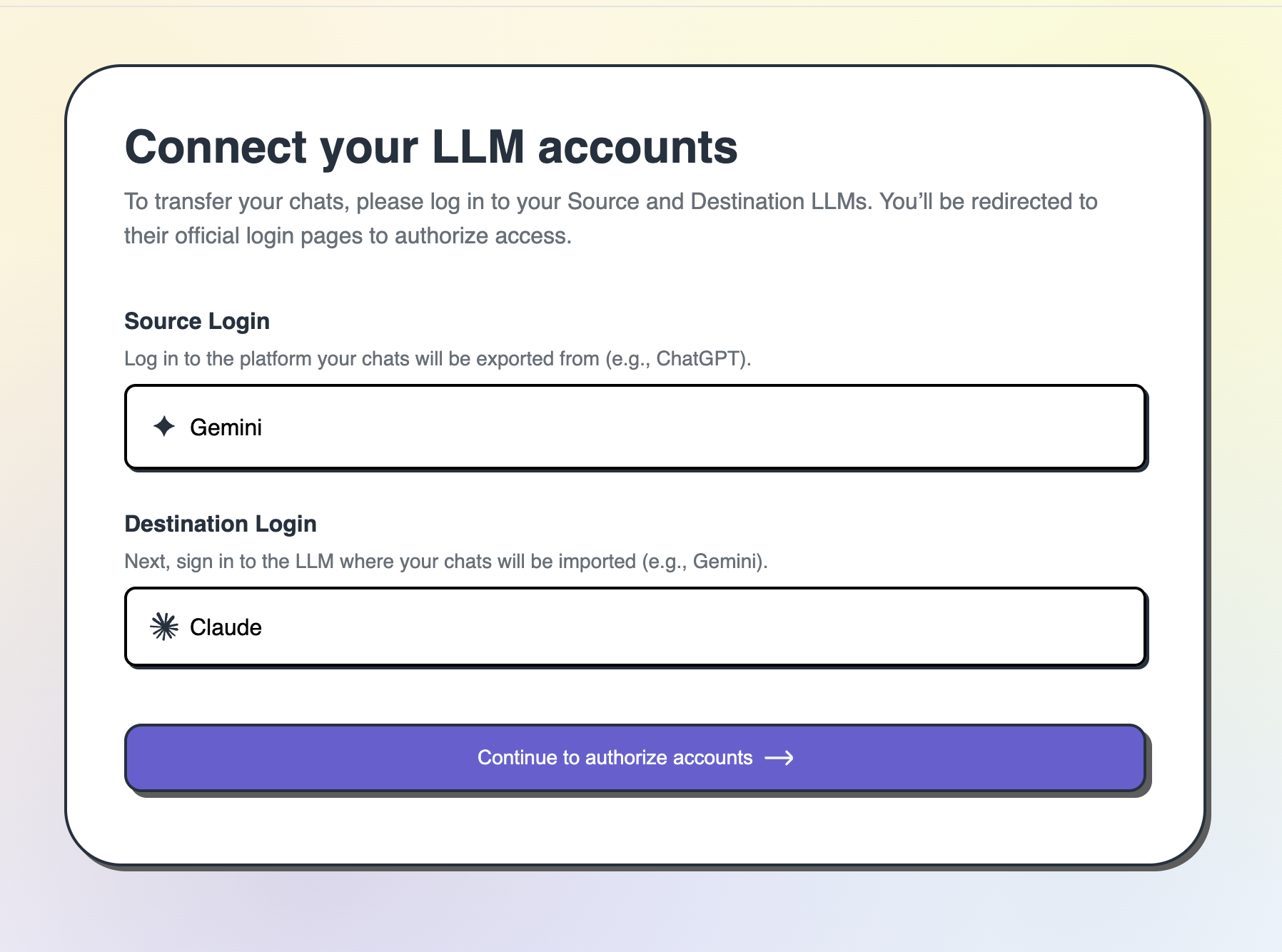
Connect Google Gemini and Claude
Authorize your Gemini account with the transfer tool and then connect Claude account — so the tool knows where to migrate your chats. Credentials are stored locally on your machine — and never sent to our servers.
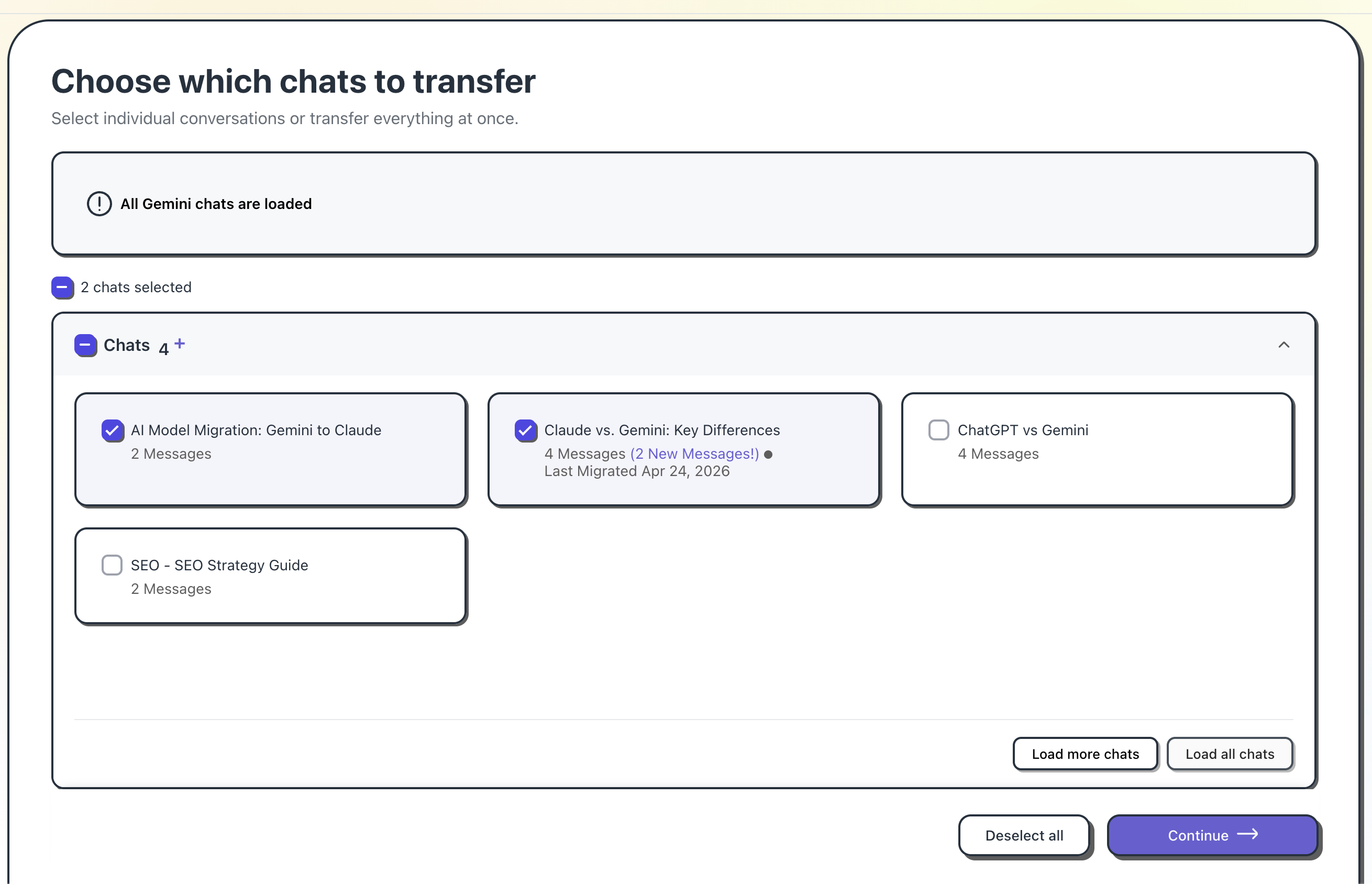
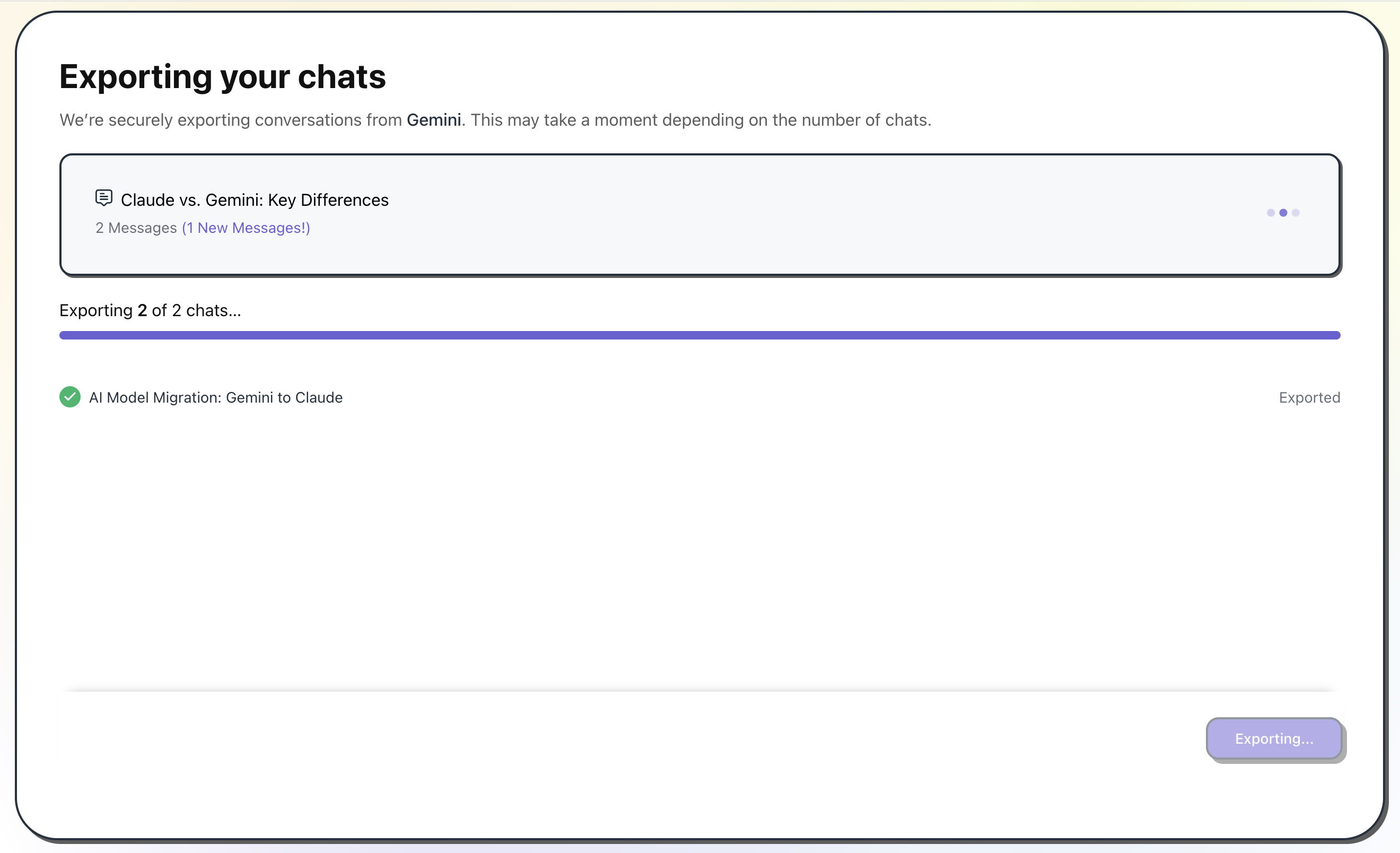
Convert Locally
The app reads and converts your conversation history entirely on your device. Formatting, code blocks, and message context are all preserved — no data touches a third-party server at any point.
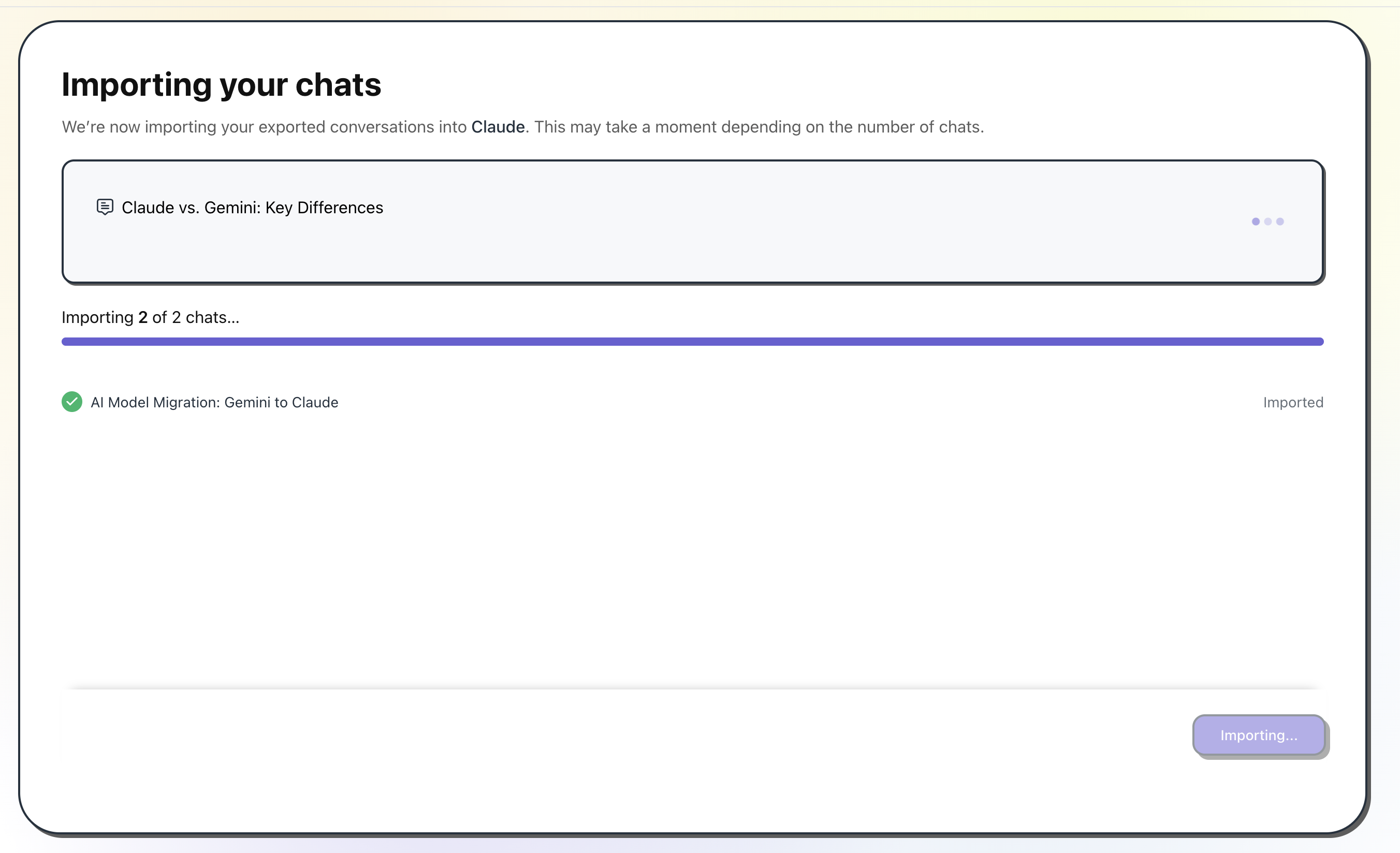
Import to Claude
Converted conversations are written directly to your Claude account from your own machine — no intermediary, no upload to us. Pick up every thread exactly where you left off.
Your Data Privacy is our North Star
Your conversations never leave your machine. Gemini2Claude is a desktop application — all processing runs locally on your device. Data travels directly from Google Gemini to Anthropic Claude without passing through any server we operate.
100% Local
All processing runs on your own device.
Zero Server Storage
No chat data ever touches our infrastructure.
Frequently Asked Questions
Do I need an API key for both services? expand_more
You need a Google account and an Anthropic account. The desktop app handles OAuth authentication locally for both — no API keys required for personal transfers.
Can I transfer chats to other AI tools? expand_more
Yes! We build migration tools across all major AI platforms. Transfer ChatGPT conversations to Gemini at chatgpt2gemini.com, or ChatGPT conversations to Claude at chatgpt2claude.com. See all supported migrations at transferllm.com.
Is my data private? expand_more
Yes. Your chat content is never transmitted to, stored by, or seen by our servers. All processing happens entirely on your own device.
Do I need to download or install anything? expand_more
Yes. Gemini2Claude is a native desktop app — you purchase and download it for macOS or Windows. No browser extension or web account is required.
Which operating systems does it work on? expand_more
Gemini2Claude is available for macOS and Windows. Both versions are available for download after purchase.
Does the tool delete my data or just copy it? expand_more
Your data is only copied and transferred. It is never deleted from the source platform, so your original Gemini conversations remain safe and unchanged.
Does the tool systematically organise my chats? expand_more
Yes. Chats are recreated with original titles and organised where possible. Project or folder details are included when available from the export data.
Ready to upgrade your AI workflow?
Enter your email to get the download link for the Gemini2Claude desktop app — runs entirely on your machine.
macOS & Windows · 100% local processing